ON THIS PAGE
SmartSpace.ai FAQ, Bugs and Feature Requests
Easily navigate FAQs, log bugs, and suggest features to enhance your experience with prioritized, efficient support.
How can I export data from SmartSpace.ai for reporting purposes
Q: How can I export data from SmartSpace.ai for reporting purposes?
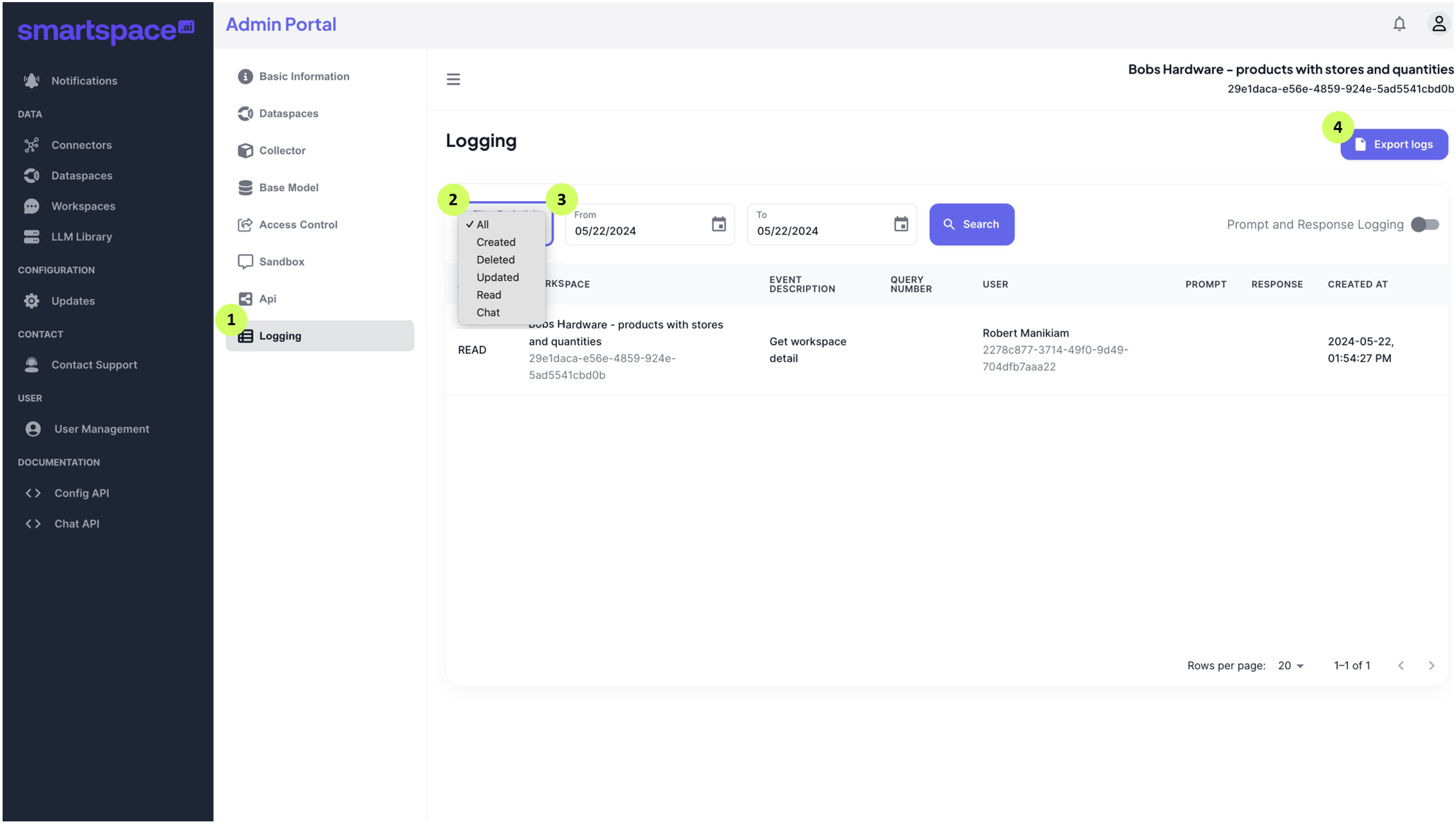
A: Data can be exported as CSV from Workspace audit logs using the SmartSpace.ai Admin Portal.
Follow these steps to export a CSV audit log:
- Open your Workspace in the Admin Portal and select Logging.
- Select the activity type in the Filter by Activity dropdown.
- Use the From and To date pickers to choose a date range and click the Search button.
- Click the Export logs button.